
Library
Route details
The detail panel for a saved route, from rename to GPX export.
Click any card in your library to open the route's detail panel. The map preview stays behind it, so you see the route while you work.
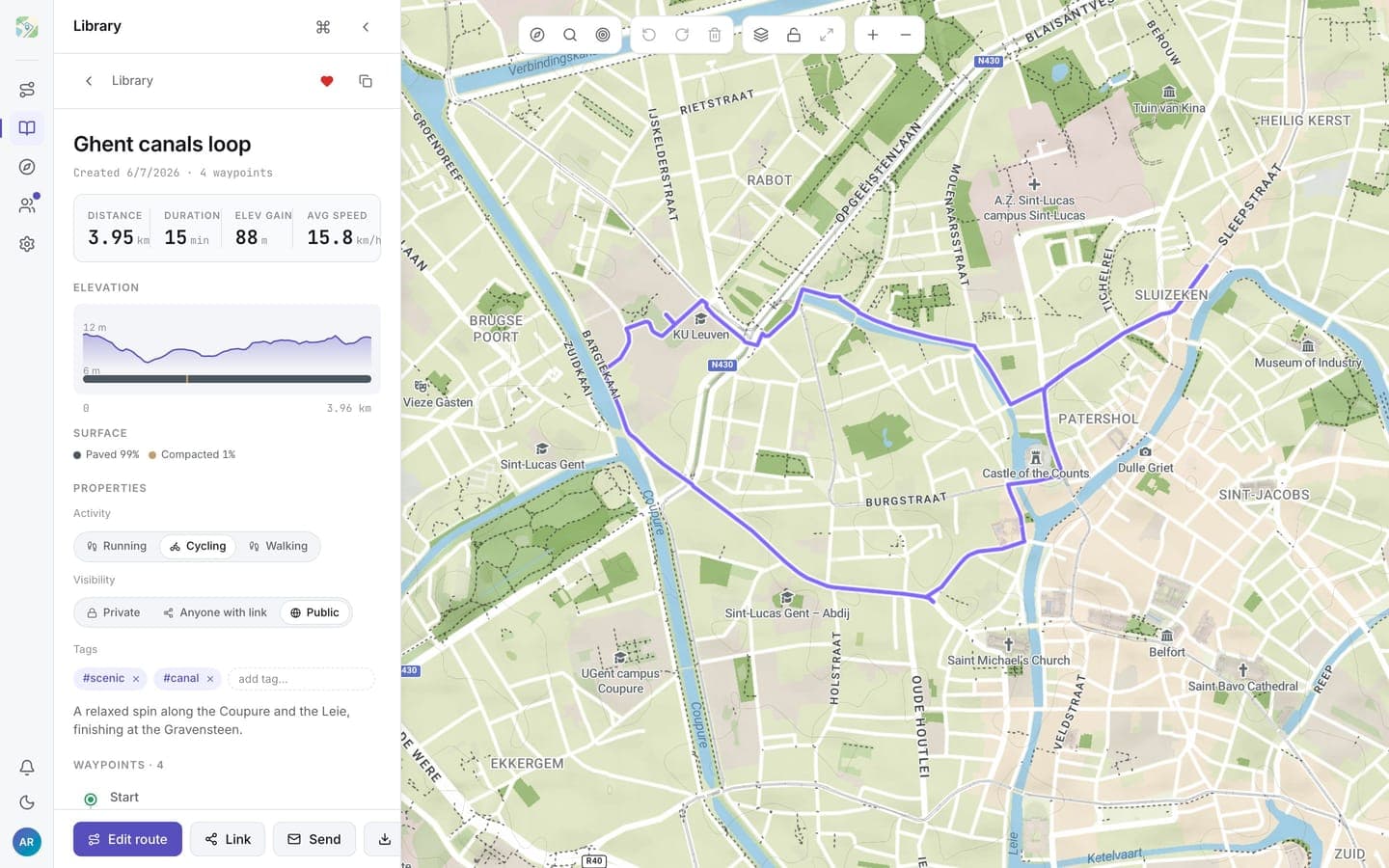
At the top
- Name: click the title to rename it in place.
- Stat strip: distance, duration, elevation gain, and average speed (cycling) or pace (running and walking).
- Elevation chart: the same elevation profile and surface breakdown as the planner.
- The header also holds favourite and Save as copy (duplicate).
Properties
- Activity: run, cycle, or walk; switching re-estimates the duration.
- Visibility: private, unlisted, or public. See Sharing routes for what each means.
- Tags: add or remove tags; these drive the library's tag filter.
Footer actions
- Edit route: open the route in the planner to change waypoints.
- Share: links, send to a person, and social targets.
- Download GPX: export the route as a GPX file.
- Delete: removes the route permanently.
Changing waypoints always happens in the planner; everything else about a route can be edited right here.