
Your library
Browse, search, filter, and sort your saved routes.
Open Library from the left rail (or the bottom tab bar on a phone) to see everything you've saved. Signed out, the library lists the routes saved on this device, or a sign-in prompt if there are none yet.
The panel has two tabs: Routes for individual routes and Collections for grouping them.
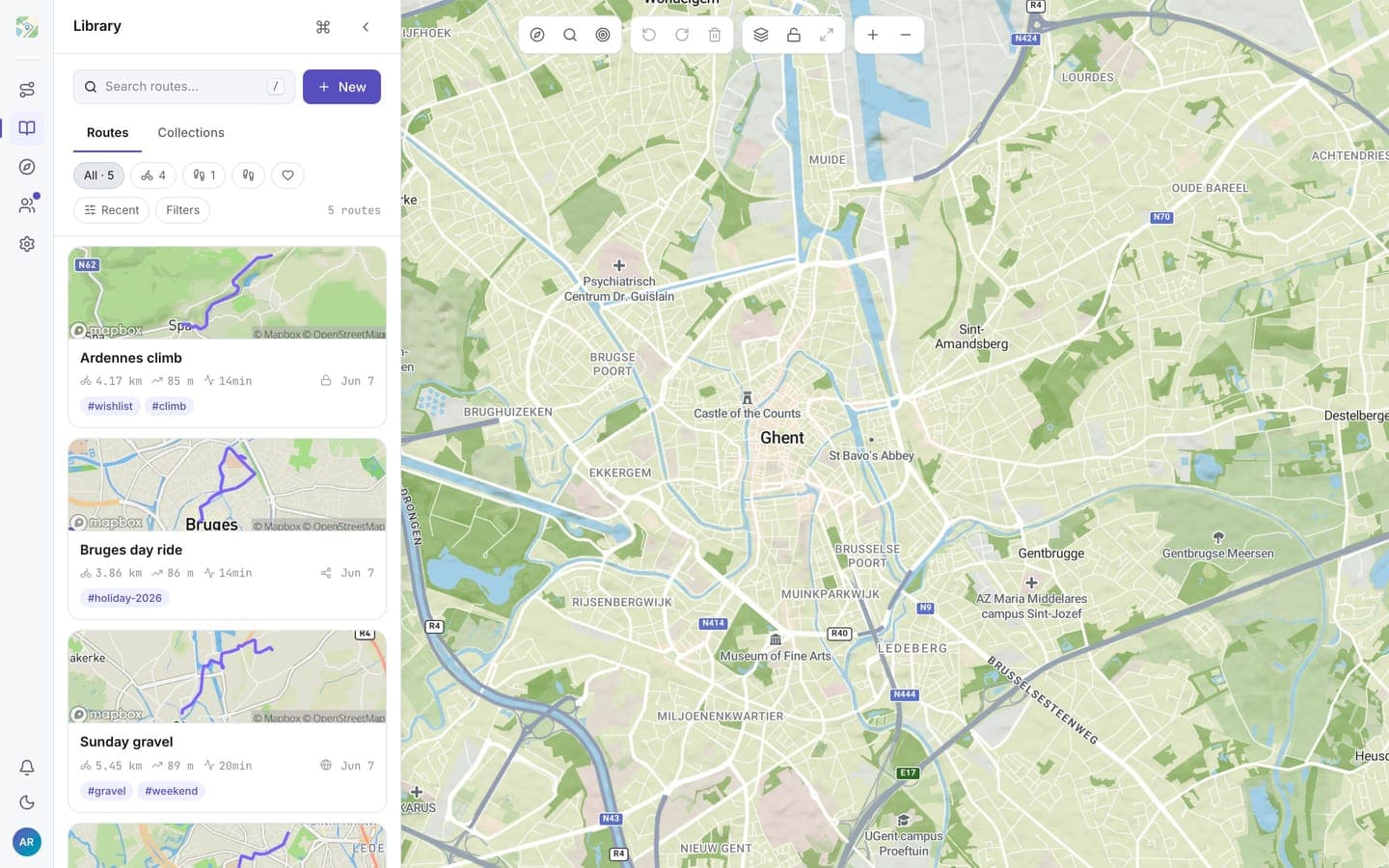
Route cards
Each saved route is a card with a map preview, name, activity, and key stats. Click a card to open its details. The heart on the card toggles favourite, and delete sits right next to it. The card menu holds the rest:
- Edit in planner: load the route into the plan panel for waypoint edits
- Rename
- Add to collection
- Edit tags
- Export GPX
Search and filters
- Search matches route names as you type.
- Activity chips narrow to Cycling, Running, or Walking; the heart chip shows favourites only.
- Filters adds distance bands (short to epic), visibility (private, unlisted, public), and tags.
- Sort orders by recently updated, name, distance, or elevation gain.
Tags
Tags are free-form labels (up to 10 per route) and the library's main organisation tool: commute, gravel, holiday-2026, anything you like. Add them from the card menu or the route's detail panel, then filter on them from the Filters menu.
Starting fresh
An empty library offers the three ways to get a first route in: Plan a route, Generate a loop, or Import GPX.