
Notifications
The notification bell collects new followers and shared routes.
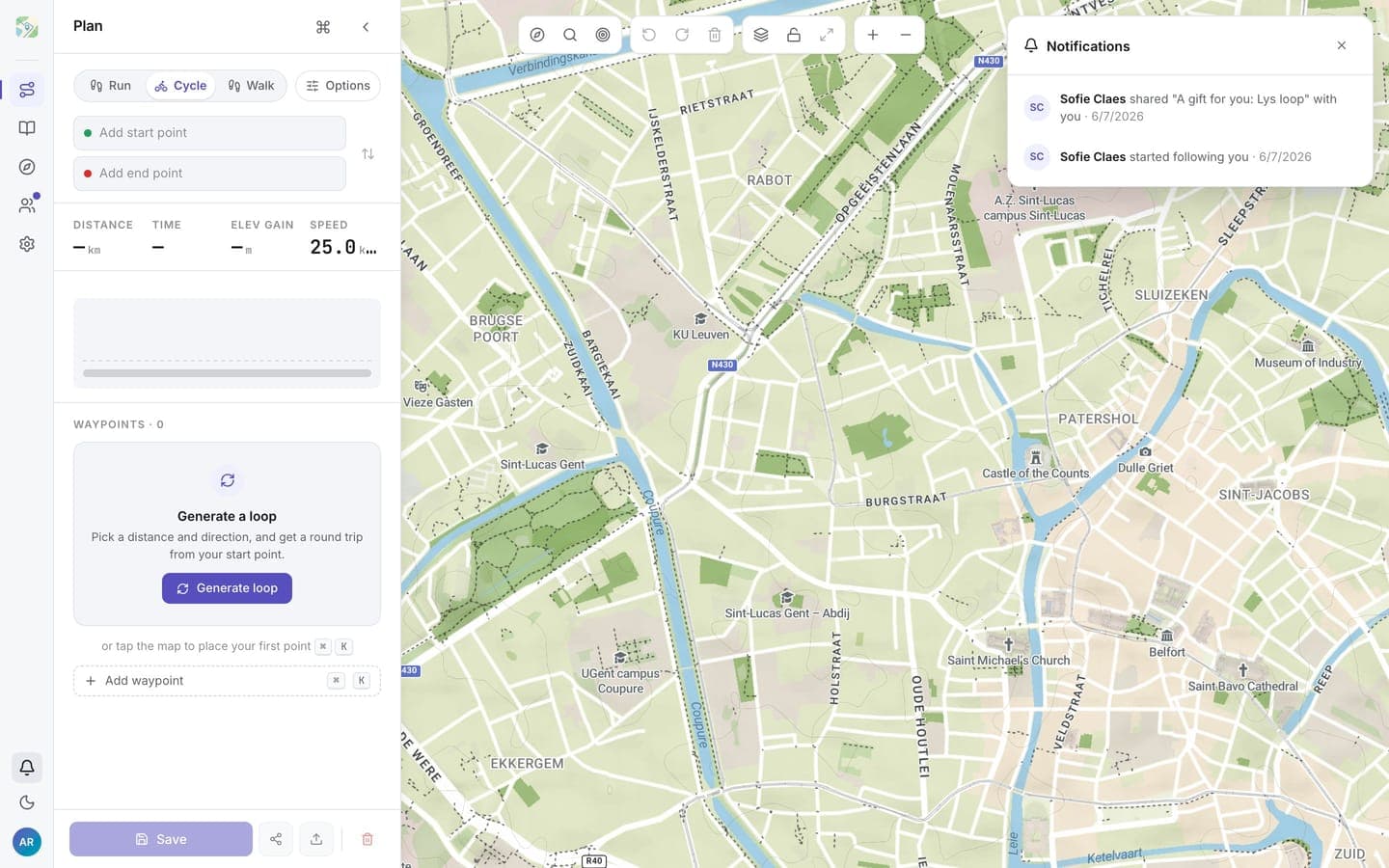
The notification bell sits at the bottom of the left rail (desktop) or in the top bar (mobile) and collects what happened around your account. It only appears when you're signed in.
What lands there
- New followers: someone started following you. Clicking opens their profile.
- Shared routes: someone sent a route to your inbox. Clicking opens the inbox.
Notifications are derived from the live state: if someone unfollows you or a shared route is withdrawn, its notification disappears with it.
The unread badge
The bell shows a badge with the number of notifications since you last opened the panel. Opening the panel resets the badge; entries that are new since your last visit keep a blue dot while the panel is open.
The badge is independent of the inbox's per-route read state: opening the bell never marks shared routes as read.
Notifications are in-app only; routess sends no notification emails or push messages.