
Generating loops
Generate round-trip route suggestions from a start point and a distance.
Out of inspiration? Generate a loop builds round trips for you: from your starting point, back to your starting point. It works without an account.
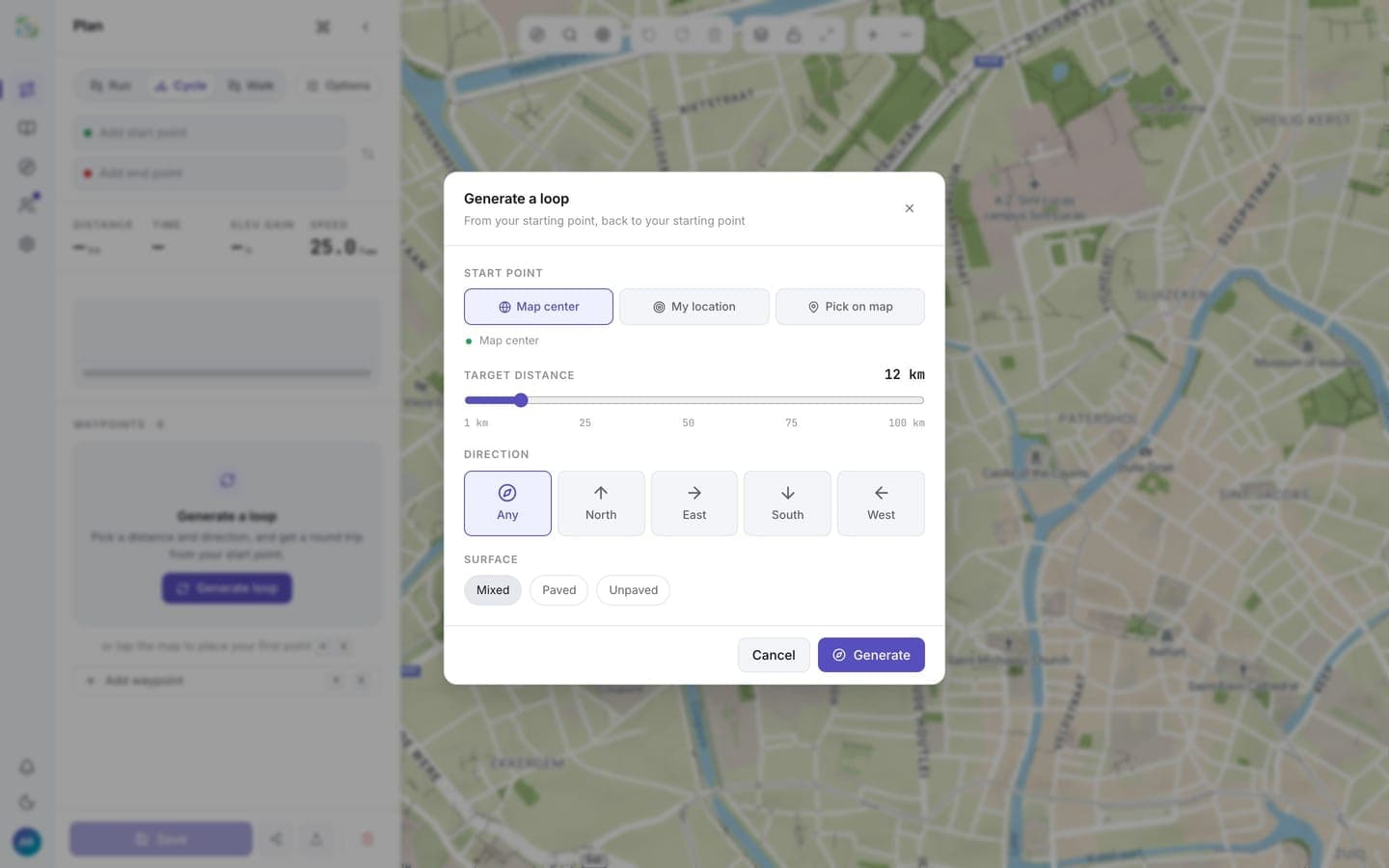
Generate
- Click the compass button in the map toolbar.
- Pick a start point: Map center, My location, or Pick on map.
- Set the Target distance with the slider (1 to 100 km).
- Optionally bias the Direction (Any, North, East, South, West) and the Surface (Mixed, Paved, Unpaved).
- Click Generate.
Loops are generated for the activity you have selected (Run, Cycle, Walk) and follow your routing preferences.
Pick a loop
After a few moments, up to three loops appear on the map, each with a card showing distance, duration, elevation gain, and the surface breakdown. A loop that mostly retraces the same roads gets a "repeated roads" warning on its card.
- Click a card, or a dimmed loop on the map, to preview it.
- Use this route loads the loop into the plan, where you can edit and save it like any other route.
- Show different loops regenerates with shapes in directions you haven't seen yet.
When nothing comes back
Some spots just don't loop well. If generation fails, routess says why and offers one-click fixes: try any direction, try a shorter distance, or start over. If the start point isn't near a road or path, move it closer and generate again.