
Route info
Distance, duration, elevation, and surface.
The sidebar shows live stats for your route as you build it.
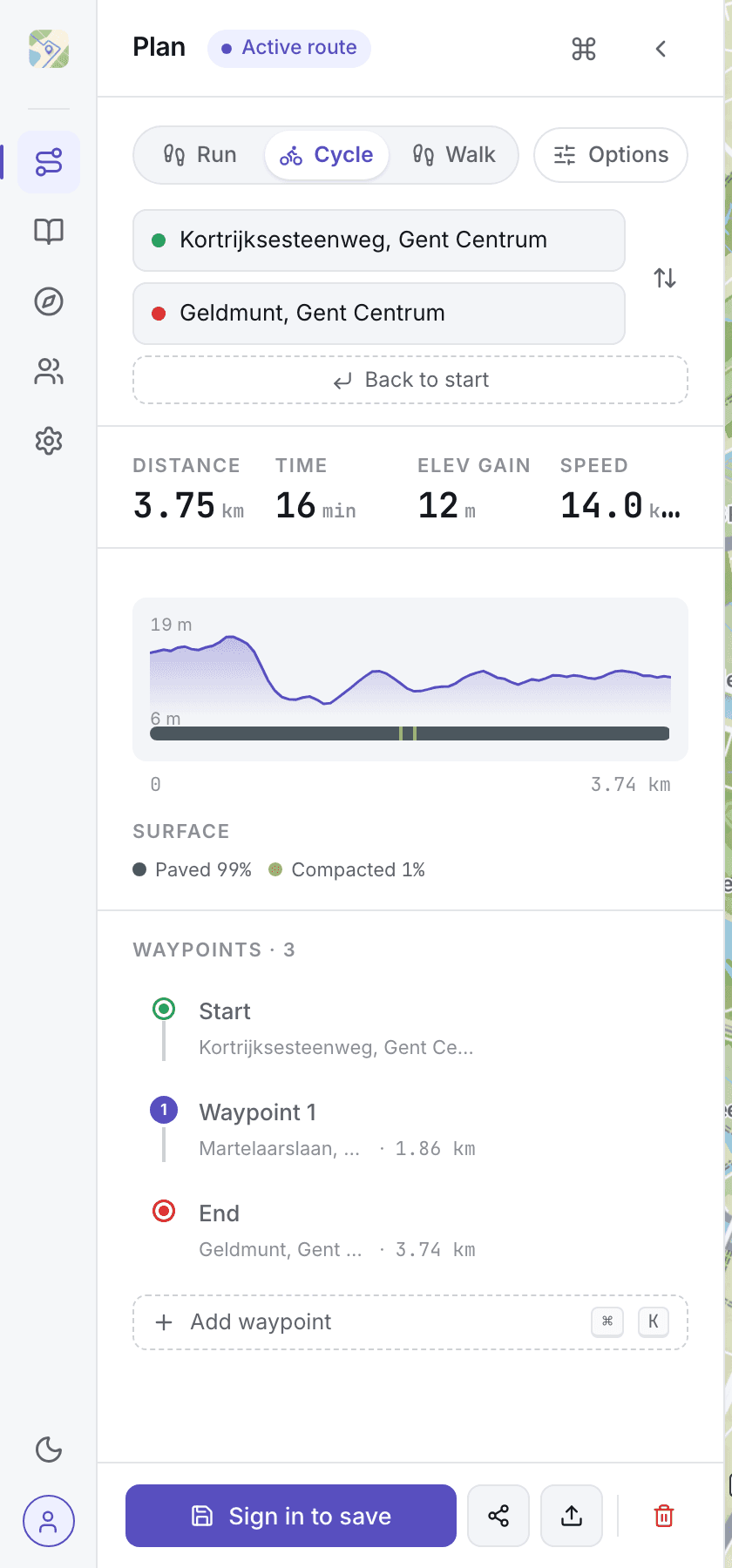
Total stats
The stats row sits above the elevation chart:
- Distance: sum of all legs, in km or mi (set in your account)
- Time: estimated travel time for the sport you've selected, as hours and minutes
- Elevation gain: total climb across the full route
- Speed or pace: average speed (km/h or mph) when cycling, pace (min/km or min/mi) when running or walking
Each waypoint row in the list also shows the distance along the route to that point.
Elevation and surface chart
A single chart shows the elevation profile of your route with the surface type underlaid as colored bands. Hover the chart and a readout below it shows the elevation, distance, and surface at that point on the route. The matching point on the map highlights as you move.
The route line on the map also uses dash patterns to hint at surface: solid for paved, dashed for unpaved, dotted for trails. The chart and the map share the same color scale, so you can match one to the other at a glance.
How estimates are calculated
Duration uses your per-sport pace from Settings → Sports & pacing. Each sport (walking, running, cycling) has its own default pace; override the default if it doesn't match how fast you actually move. Elevation gain comes from Mapbox Terrain-RGB; surface comes from the routing engine.